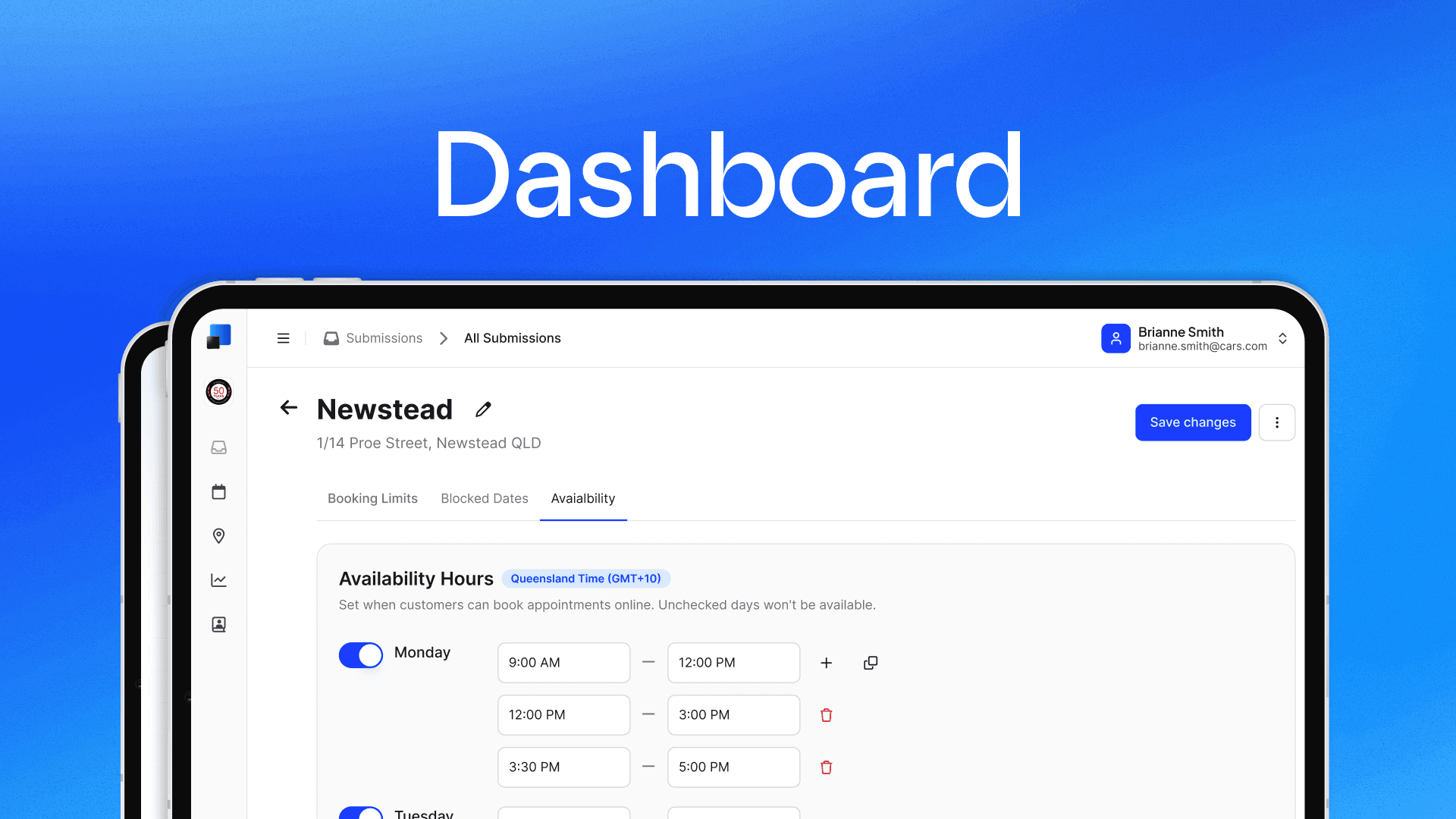
The Avenue Dashboard is officially live. You can log in today and manage your entire booking setup from a single interface: your calendar, availability, booking limits, and blocked dates.
Until now, changes to your booking calendar had to go through us. The Dashboard puts that control directly in your hands. Here's what you can do with it.
Calendar settings
The core of the Dashboard is your calendar settings. This is where you configure when and how customers can book with you. Everything you change here is reflected on your booking form automatically.
Booking limits
You can set a maximum number of bookings per day so your calendar doesn't overbook beyond your capacity. There's also a minimum notice setting. This lets you require a lead time (e.g. 24 hours) before an appointment, which prevents last-minute bookings you can't accommodate.
Blocked dates
The blocked dates section lets you close off specific days. You can automatically block Australian public holidays both National and State holidays, or add custom closures for things like annual leave, staff training, or renovations. Blocked dates remove those days from your booking form entirely.
Availability hours
Availability hours define the windows when customers can actually book in for your service, not just your general opening hours. For example, you might be open from 7 AM but only accept bookings from 8 AM, or stop taking appointments an hour before close. You set these per day, and if you need a gap in the middle (like a lunch break), you can add multiple time ranges. There's also a copy feature so you can apply the same hours across multiple days without re-entering them.
You can also choose how your time slots are spaced, anywhere from 15-minute intervals up to 2 hours, depending on how long your appointments typically run.
Multiple locations
If you operate more than one location, each one gets its own independent calendar. You can configure availability, limits, and blocked dates separately for each site to reflect how they actually operate.
What's next
This is the first release of the Dashboard, and there's a lot more coming. We're currently working on Submissions (view and manage your booking submissions), Analytics (insights into your booking volume and trends), and Avenue AI. We'll share more on each of these as they get closer to launch.
If you have feedback or feature requests, reach out to us at info@avenue2.au. For a full walkthrough of everything mentioned above, check out the calendar documentation.